

Welcome to the Developer Hub

Explore software tools, our model library, hardware shopping, community forums, support, and our EDU program.

Why This Bundle Matters

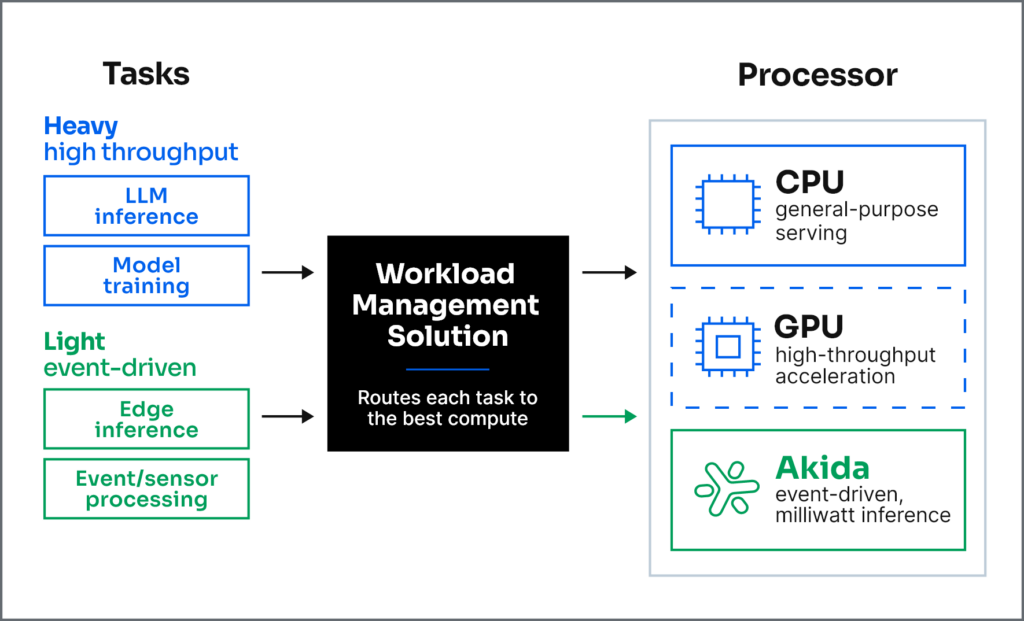
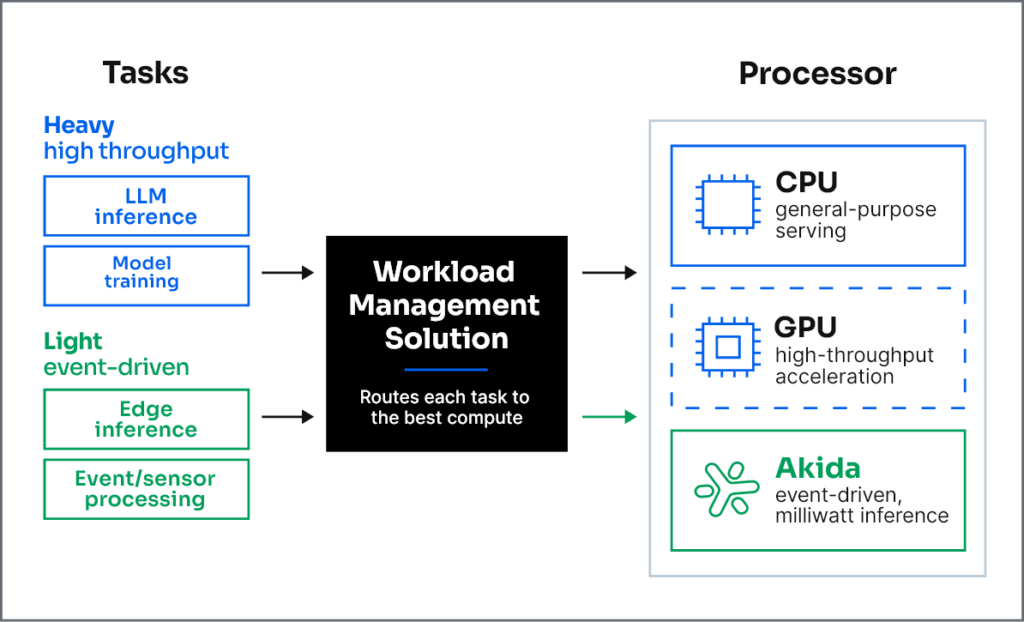
Symphony Community Edition is IBM’s production-grade heterogeneous workload management solution, built to coordinate workloads across CPUs, GPUs, and other accelerators out of the box.

This bundle adds BrainChip Akida to that same workload management solution, so it automatically routes each task to whichever processor runs it best: your CPU for general-purpose processing, Akida for lightweight, event-driven, milliwatt-scale inference.

The result is a more efficient way to use your compute resources: scale inference performance by adding cost-effective Akida chips instead of relying solely on more GPUs.

Built to Change

Your AI Deployment

Lower Power

Increase system inference
capacity while minimizing power
and cooling

Lower Cost

Adding Akida chips can be more
cost effective than additional GPUs
for some workloads

Built to Scale

Plug in a new Akida chip and the
scheduler detects it and puts it to
work automatically

What's in the

Symphony Community Akida Bundle

Clone the repo and you have everything needed to stand
up a mixed-compute cluster:

What the Bundle Does

4. Icon 1

See Your Performance Scale

Every demo reports inferences per second, latency per chip, chips used, and overall speedup versus a single chip. Because the results come from your own hardware, you can see exactly what each additional Akida card delivers.

4. Icon 2

Run Workloads Beyond a Single Chip

When an input is too large for one Akida chip, the bundle splits it across multiple chips, processes the pieces in parallel, and combines them into a single output. You’re no longer limited by the capacity of one chip.

4. Icon 3 (1)

Set Up With One Command

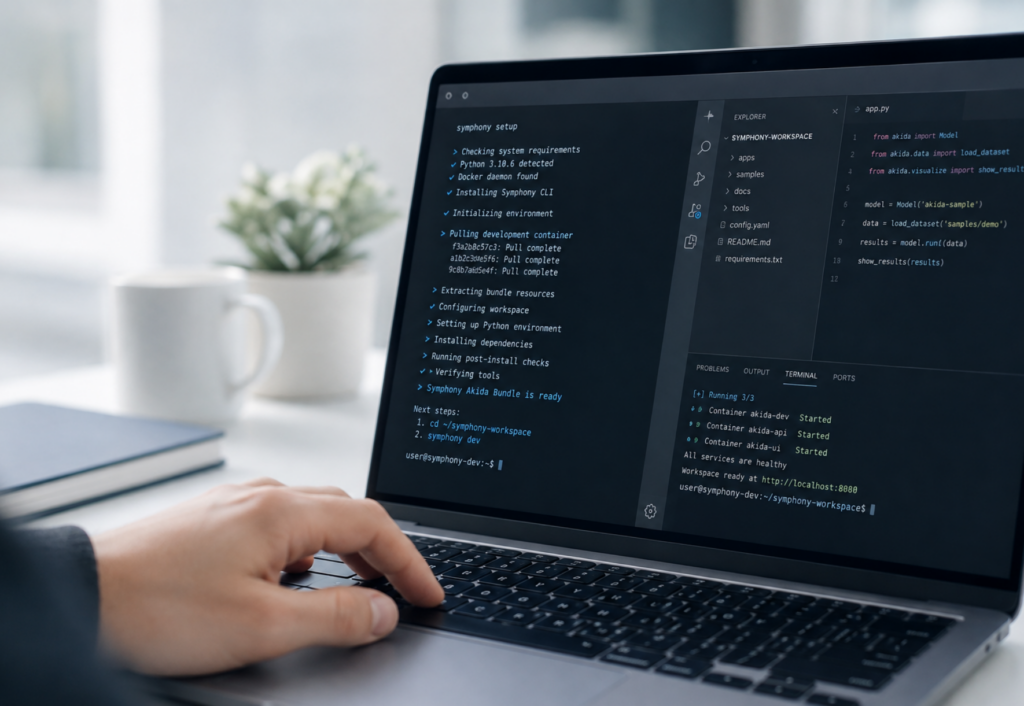
One script handles the entire setup—detecting every Akida card, verifying that each is working, and assigning each its own container. Symphony automatically distributes inference jobs across all your cards, with no manual configuration required.

Before You Start

Here’s what you’ll need to run the bundle:

Optional:

one or more Akida
boards, or run in
software without
hardware

Three Demos to Get You Started

5. Icon 1 (1) (2)

Batch inference: Run many requests at once across every Akida chip, so throughput scales with the fleet.

rotate-icon

Round-robin HTTP: Distribute a live request stream across chips in rotation, so no single chip is overloaded..

5.-Icon-3 (2)

Image shard inference: Split a large input into tiles, run each tile on a separate chip, and stitch the results back into one output for higher accuracy.

Tell us what you’re building

We’re Gauging Interest to Shape What Comes Next

Symphony Form